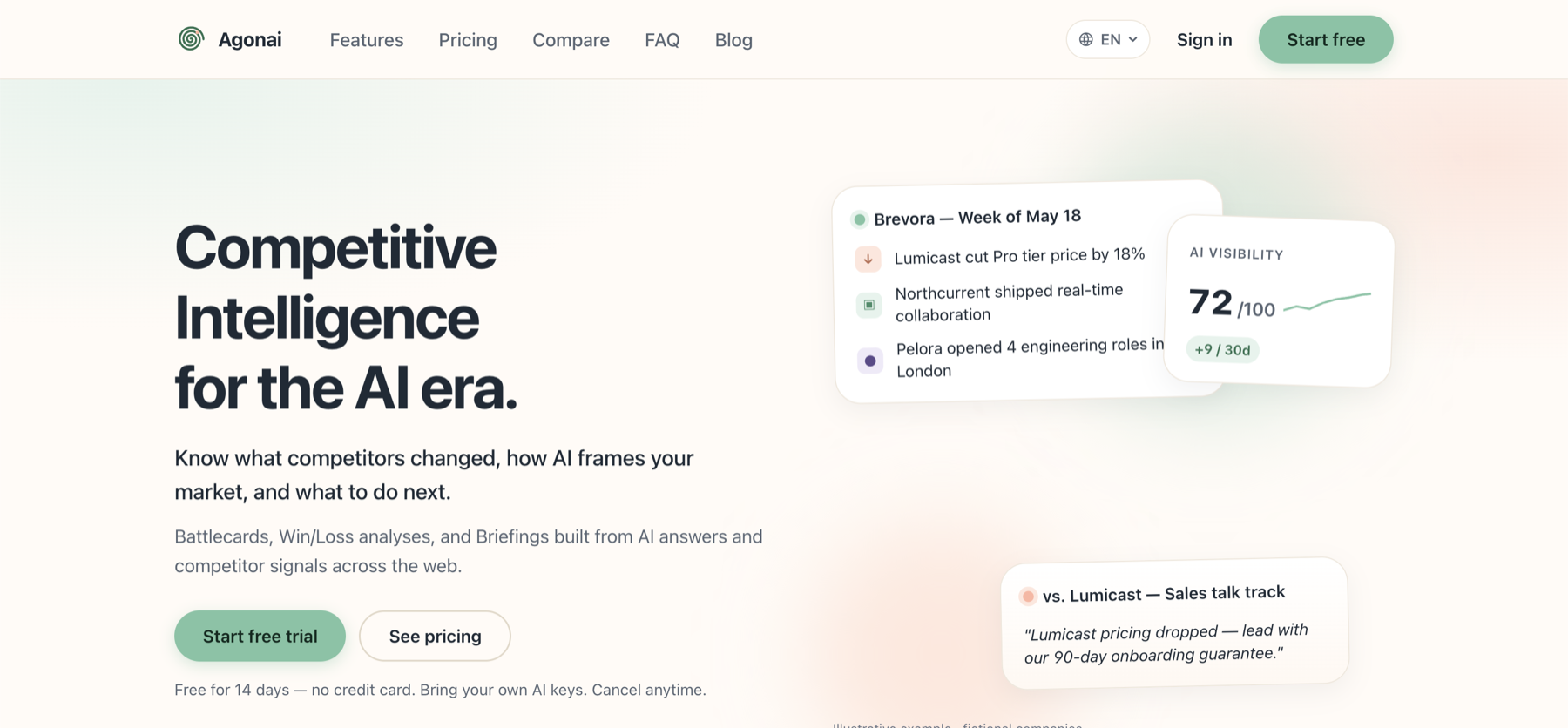
Agonai is a competitive intelligence (CI) platform built for small and mid-sized businesses. It watches your competitors across the web, tracks how AI assistants like ChatGPT, Perplexity and Gemini describe your market, and turns all of those signals into something a team can act on: insights, battlecards, win/loss analyses and briefings.
Most CI tools stop at “here is what changed”. Agonai goes two steps further: it explains what the change means for you and what to do about it, and it attaches a confidence score to every conclusion so the noise gets filtered out before it reaches you.
How it works
Agonai follows the same path a good analyst would: define the market, collect what changes, interpret it, turn it into guidance, and measure where you stand. The screenshots below walk through that path using a real workspace, where Agonai tracks its own competitors.
Step 1: Define the market
Portfolios
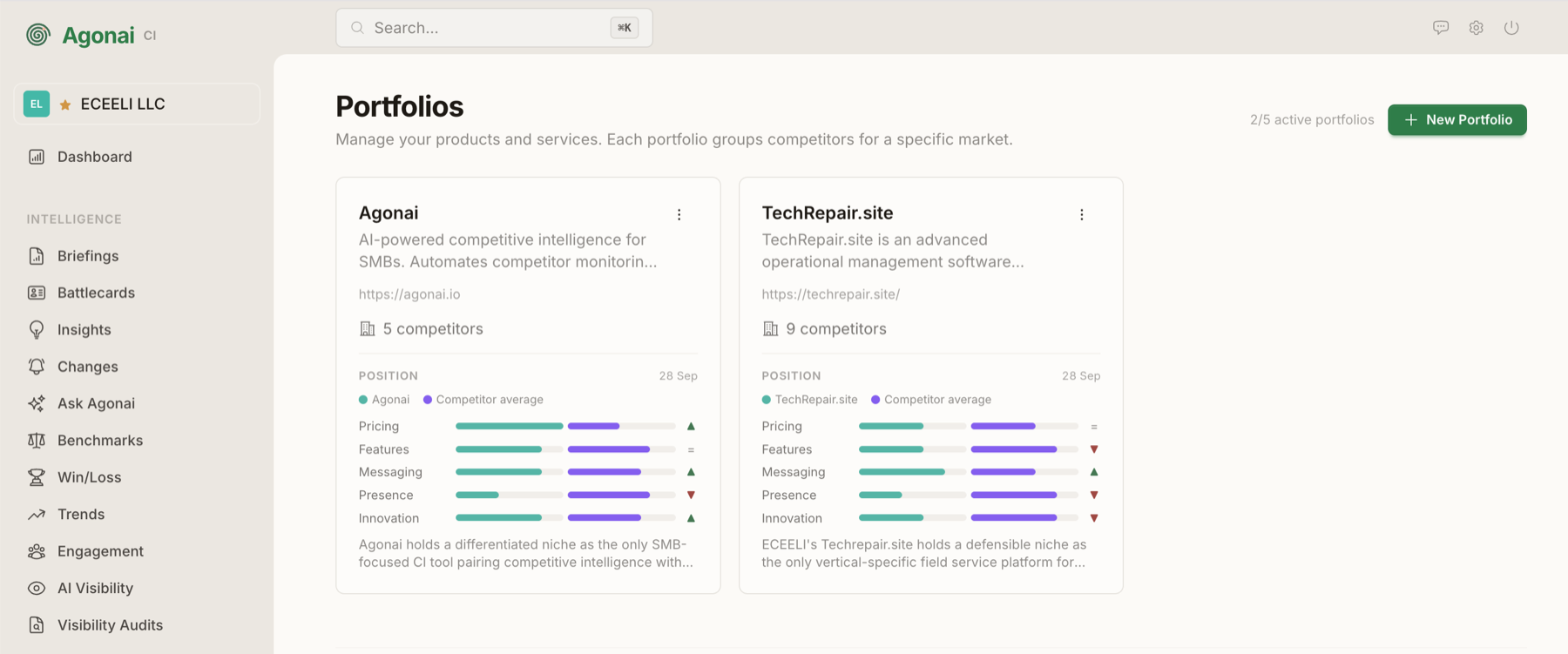
Everything starts with a portfolio: one of your products plus the competitors it fights against in a specific market. A company can keep several portfolios side by side, for example one for Agonai itself and one for TechRepair.site, each with its own set of competitors.
Each card already gives a quick read of your position across five dimensions (pricing, features, messaging, market presence and innovation). The green bar is you, the purple bar is the competitor average, and the arrow tells you whether you are ahead, on par or behind.
Step 2: Collect the signals
Changes
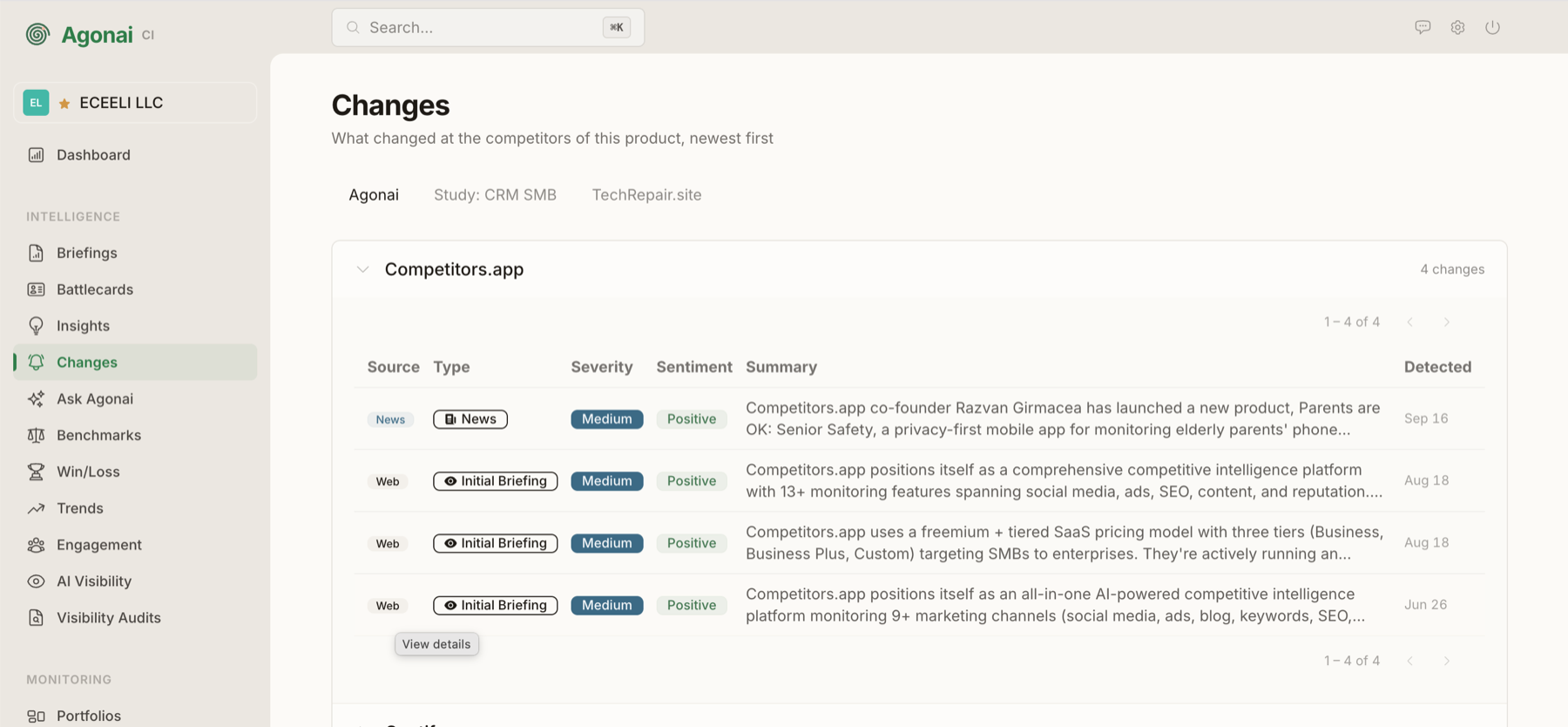
Agonai continuously monitors each competitor’s website, pricing, product, hiring, reviews, messaging and news. When something moves, it records a change with its source, type, severity and sentiment, plus a plain-language summary.
In this example, the feed caught the co-founder of a competitor launching a separate consumer product, alongside the baseline “initial briefing” snapshots of that competitor’s positioning and pricing model.
Step 3: Interpret
Insights
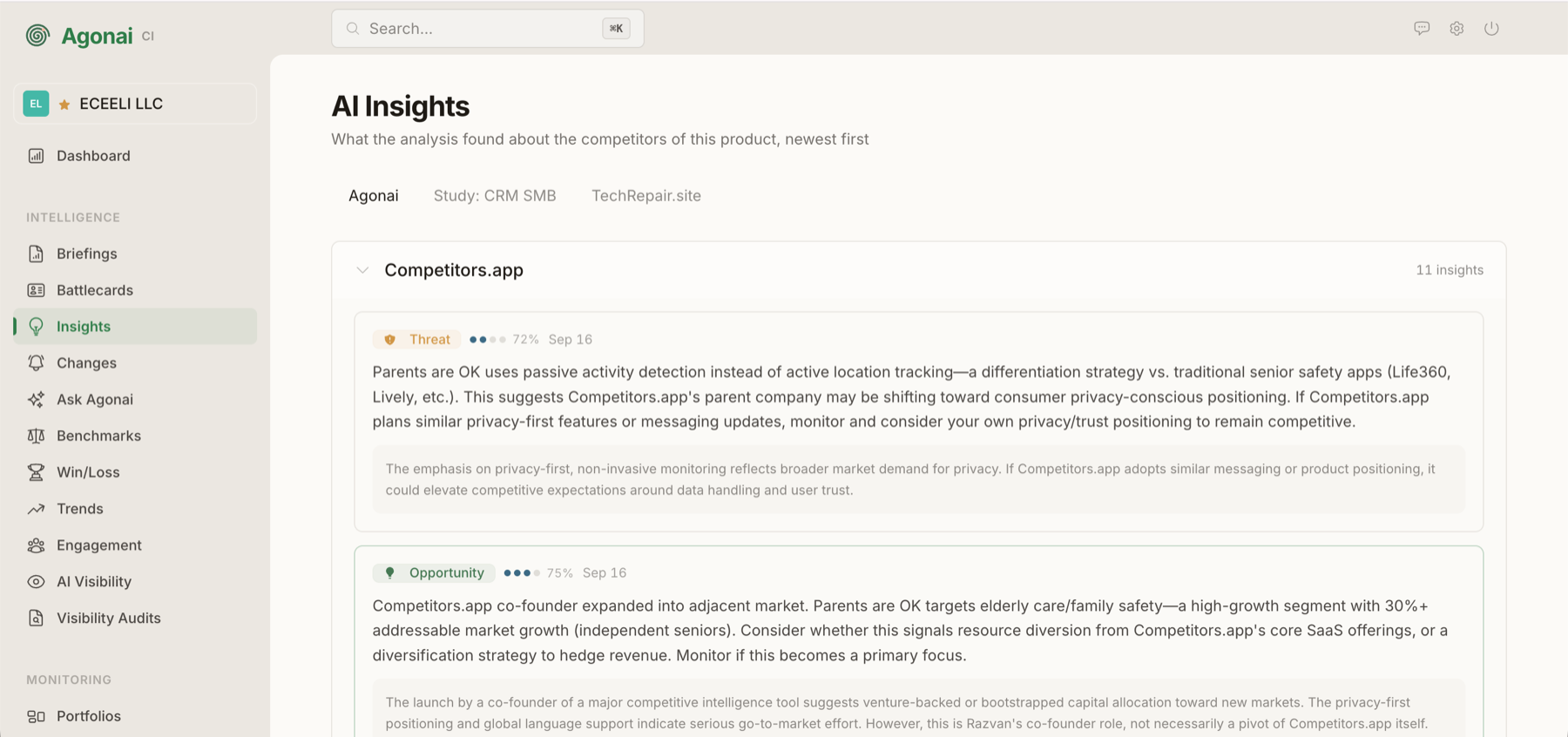
A raw change is just a fact. Insights are where Agonai reasons about it: it combines signals across sources and explains why they matter, labelling each one as a threat or an opportunity.
Every insight carries a confidence score (the dots and percentage next to the label). This is what keeps the feed useful: weak or speculative conclusions are clearly marked instead of being presented as certainties. Below each insight, a short rationale shows the reasoning behind it.
Step 4: Act
Battlecards
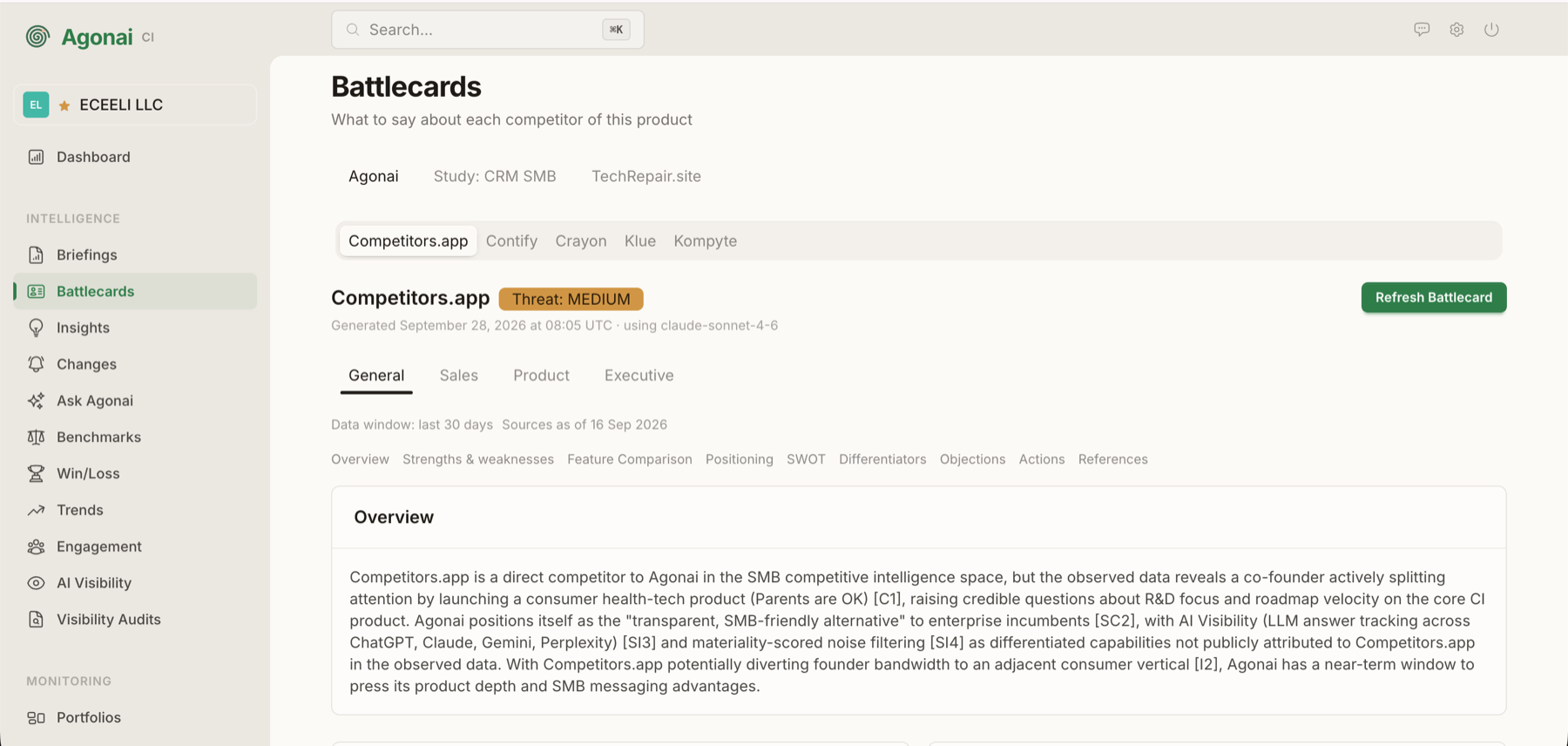
Insights become action through battlecards: one per competitor, telling your team what to say about them. Each battlecard gets a threat level and is organized into sections such as overview, strengths and weaknesses, feature comparison, positioning, SWOT, differentiators, objection handling and recommended actions.
Battlecards come in different views for Sales, Product and Executive audiences, because a sales rep on a call and a CEO planning the roadmap need different things. Every claim is backed by numbered references to the underlying data, and the card states its data window and which AI model generated it, so the team always knows how fresh and how grounded it is.
Step 5: Measure
Briefings
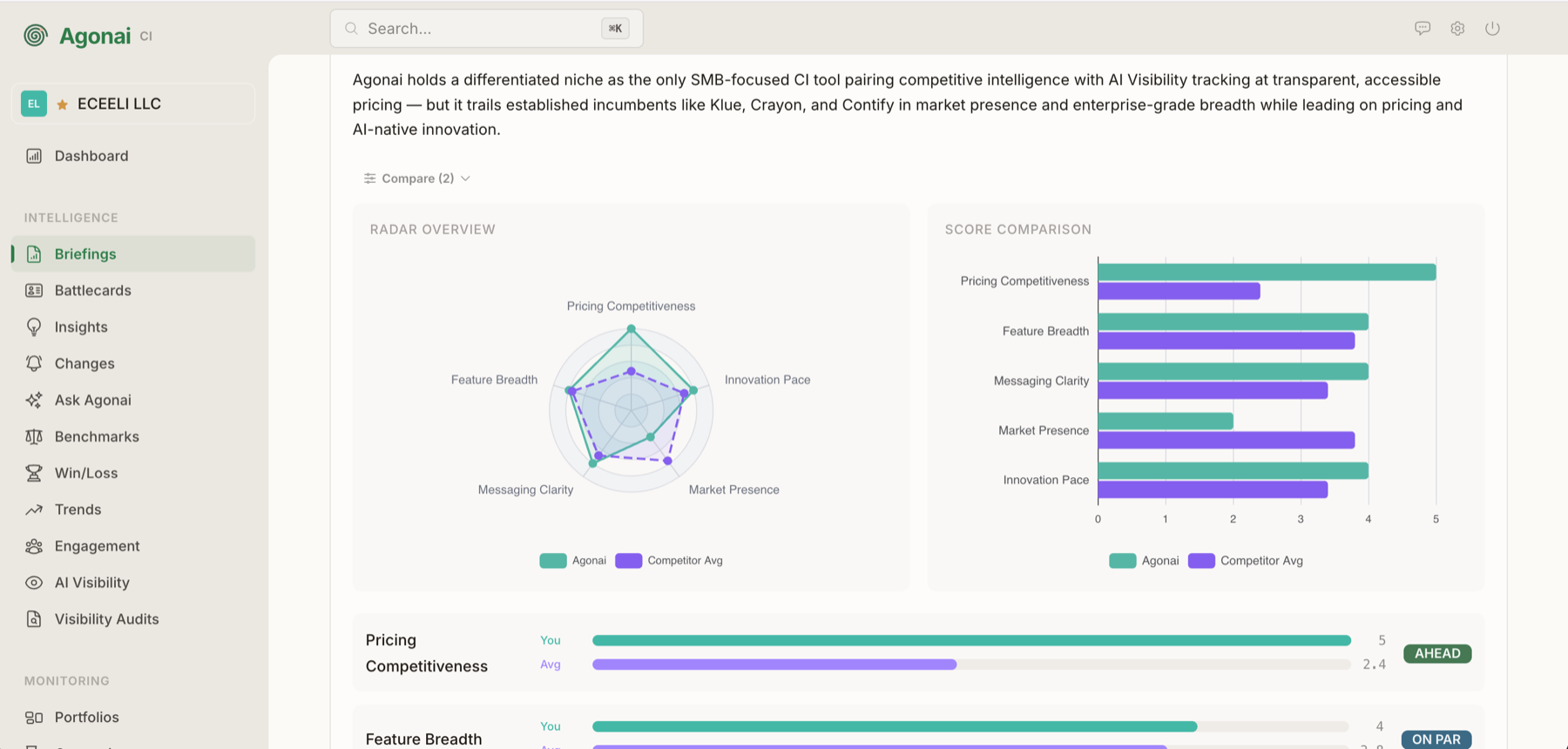
Briefings step back from individual competitors and show where you stand in the market as a whole. They open with a short written assessment, then compare you against the competitor average on the same five dimensions used in the portfolio cards.
The radar chart shows the overall shape of your position at a glance, the bar chart makes the gaps easy to compare, and each dimension is marked as ahead, on par or behind. In this example, Agonai leads clearly on pricing competitiveness while still trailing established players in market presence, which is exactly the kind of honest picture a strategy discussion needs.
Beyond competitors: AI Visibility
More and more buyers ask an AI assistant before they ever visit a website. Agonai tracks how your brand appears in answers from ChatGPT, Perplexity and Gemini, turns that into an AI Visibility score, and runs visibility audits so you can see how AI frames your market and whether you are part of the answer. These signals feed the same insights, battlecards and briefings described above.
Under the hood: the technology choices
Agonai is mostly background work (fetching pages, detecting changes, calling AI models, rendering reports) plus a live interface that has to reflect results as they arrive. Every tool below was chosen for that shape of problem.
Elixir: the language
Agonai runs thousands of small, independent tasks that mostly wait on the network: scraping a pricing page, querying an AI model, sending an email. Elixir runs on the BEAM, the Erlang virtual machine, which was built for exactly this: huge numbers of lightweight processes, isolated from each other and supervised, so one failing task never brings down the rest of the system.
Phoenix LiveView: the interface
With LiveView, the interface is rendered on the server and kept in sync with the browser over a persistent connection. When a background job finishes analyzing a change or refreshing a battlecard, the screen updates without a page reload, and without maintaining a separate JavaScript frontend and API.
Ash Framework: the backend
Ash describes the domain (portfolios, competitors, changes, insights, battlecards) as declarative resources, and derives much of the repetitive code from those declarations: data access, validations, authorization policies and actions. Its extensions cover authentication and database persistence and connect resources to background jobs, which keeps the business rules in one place instead of scattered across layers.
PostgreSQL: the database
A reliable relational database for everything Agonai stores: accounts, portfolios, the history of every detected change, and the generated insights and reports. It also backs the job queue (see Oban), so there is one fewer piece of infrastructure to run.
Oban: background jobs
The whole intelligence pipeline runs as Oban jobs stored in PostgreSQL, with separate queues for each stage: fetching, change detection, AI analysis, reporting, email, webhooks and AI Visibility checks. Each queue has its own concurrency limit, so slow or rate-limited work (like AI calls) cannot starve the rest, and jobs survive restarts and are retried automatically when they fail.
Typst: the reports
PDF reports are written as Typst documents and compiled by the Typst CLI. Typst produces well-typeset documents from plain markup and is light and fast compared with generating PDFs through a headless browser. Running it as a separate program means a faulty report cannot crash the application; it simply times out and returns an error.
Connecting to LLMs from Elixir
Agonai talks to AI models through its own Elixir clients for Claude, OpenAI, Gemini and Perplexity, plus any endpoint compatible with the OpenAI API (for example Ollama or OpenRouter). That is what makes “bring your own AI keys” possible: each customer chooses their providers, and if one fails with a temporary error such as a rate limit, the request falls back to the next provider in line.
Try it
Agonai offers a 14-day free trial with no credit card required, you can bring your own AI keys, and the pricing is published openly on the website.